
User manual · Objects & Properties
Mic & Mic Link
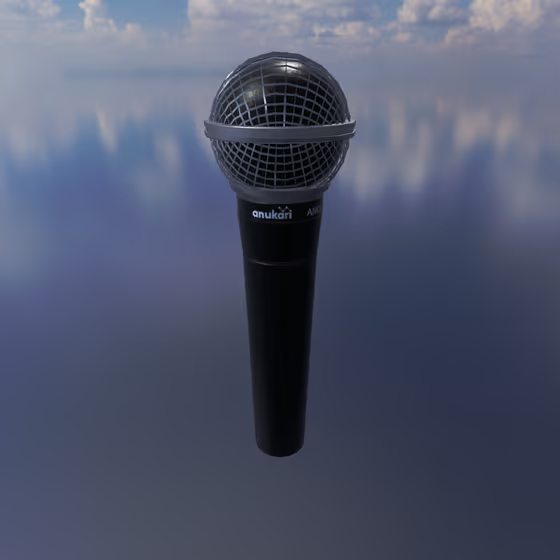
The Mic object is used to pick up vibration from each Body object that it is connected to via a Mic Link line.
The Mic Link connects a Mic to each Body object from which it will pick up vibration. One Mic can be linked to many Body objects and will sum the vibration from all of them. The physical orientation of this link relative to the direction of vibration influences the sound.
The Mic can be quickly placed in 3D space by pressing the "S" hotkey. Mic Links can be added by clicking on the Mic, pressing the "C" hotkey, and then clicking on the Body object to be connected.
Video tutorial · 3:22
Mic Properties#
- Gain: The amount of gain that will be applied to the Mic signal.
- Pan: Negative values will pan the Mic to the left speaker channel; positive values will pan it toward the right channel. A value of zero is balanced between the left and right channels.
- Directionality: Controls how directional the Mic is. A value of 0 produces an omnidirectional Mic, while a value of 1 is highly directional. This can be particularly useful when modulating the Mic's rotation.
- Isotropy: Adds distortion by progressively ignoring the particular axis of a Body's vibration. Imagine a signal rectifier, but in 3D. Set to 0 for a clean signal.
- Ext. Output: The external audio output channel(s) that the audio signal from this Mic will be sent to. If "<none>" is selected, the Mic will not be mixed into the master output; it will only be sent to internal Delay Lines. For more info, see the section on Delay Lines.
- Compressor Threshold: The signal threshold above which the compressor will begin to apply gain reduction (subject to the attack and release durations).
- Compressor Ratio: The amount of proportional gain reduction the compressor will apply to the signal when it is above the threshold.
- Compressor Attack: The duration for which the signal must be above the threshold before the compressor will apply gain reduction.
- Compressor Release: The duration for which the signal must drop below the threshold before the compressor will stop applying gain reduction.
- Compressor Makeup Gain: The amount of gain that will be applied to the signal post-compression.
- Orientation: The rotational latitude, longitude, and spin of the entity in 3D space. Modulating these parameters will make the object rotate.
- Position: These X, Y, and Z coordinates determine where in 3D space the object is placed. Modulating these parameters will make the object move.