What I've been working on since 1.0 launched
Well, it’s coming up on two months since I released Anukari 1.0. It feels simultaneously like an eternity and a very short time, depending on how I think about it. I’ve been hard at work since the launch, and while some of my effort has been on the marketing side, I’ve still managed to squeeze in some fun engineering. I also did a couple of fun interviews, for Bobby Owsinski’s podcast and Music Tech.
On the marketing side I’ve spent a lot of time getting the website working as well as possible, especially with regards to loading time. I also transitioned from Shopify to Paddle for payments, which was a bit of a project.
Shopify was always pretty bad from an international tax perspective, but the last straw was a regression in their tax system that caused it to show Arizona’s tax rate an “estimated” tax for everyone on Earth, until they filled in their address. This is, of course, ridiculous. It’s not an estimate, it’s just a random number. It’s correct for only about 1 in 1,100 people (Arizonans). That’s a pretty poor estimate. For non-Arizonan Americans, it was drastically high (Anukari has not hit thresholds to pay any sales tax in most states), and for Europeans it was drastically low (EU VAT tax rates are generally 20%+).
After Shopify’s L1 support agent escalated me to their tax specialists, it took them three weeks to get back to me to say, “huh we can’t reproduce.” Yeah, no.
Moving to Paddle was mostly painless. It’s nice that they are a full merchant of record, so I’m no longer on the hook to pay taxes in countries I’ve never heard of. And being digital-goods-first, it was much easier to integrate their checkout than Shopify’s, which is physical-goods-first and treats digital as a complete afterthought. (I am pretty sure Shopify’s tax bug is only for digital goods.)
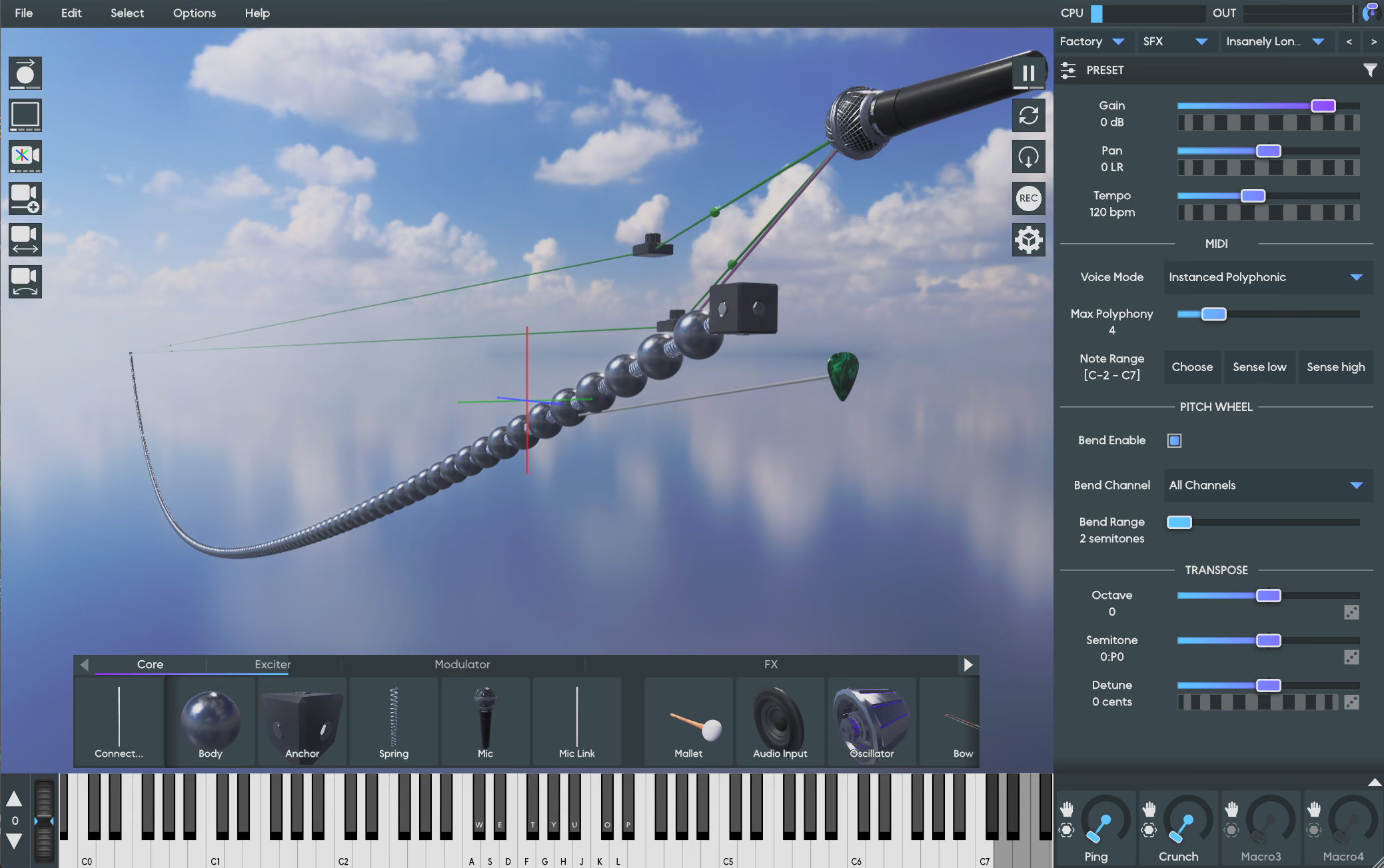
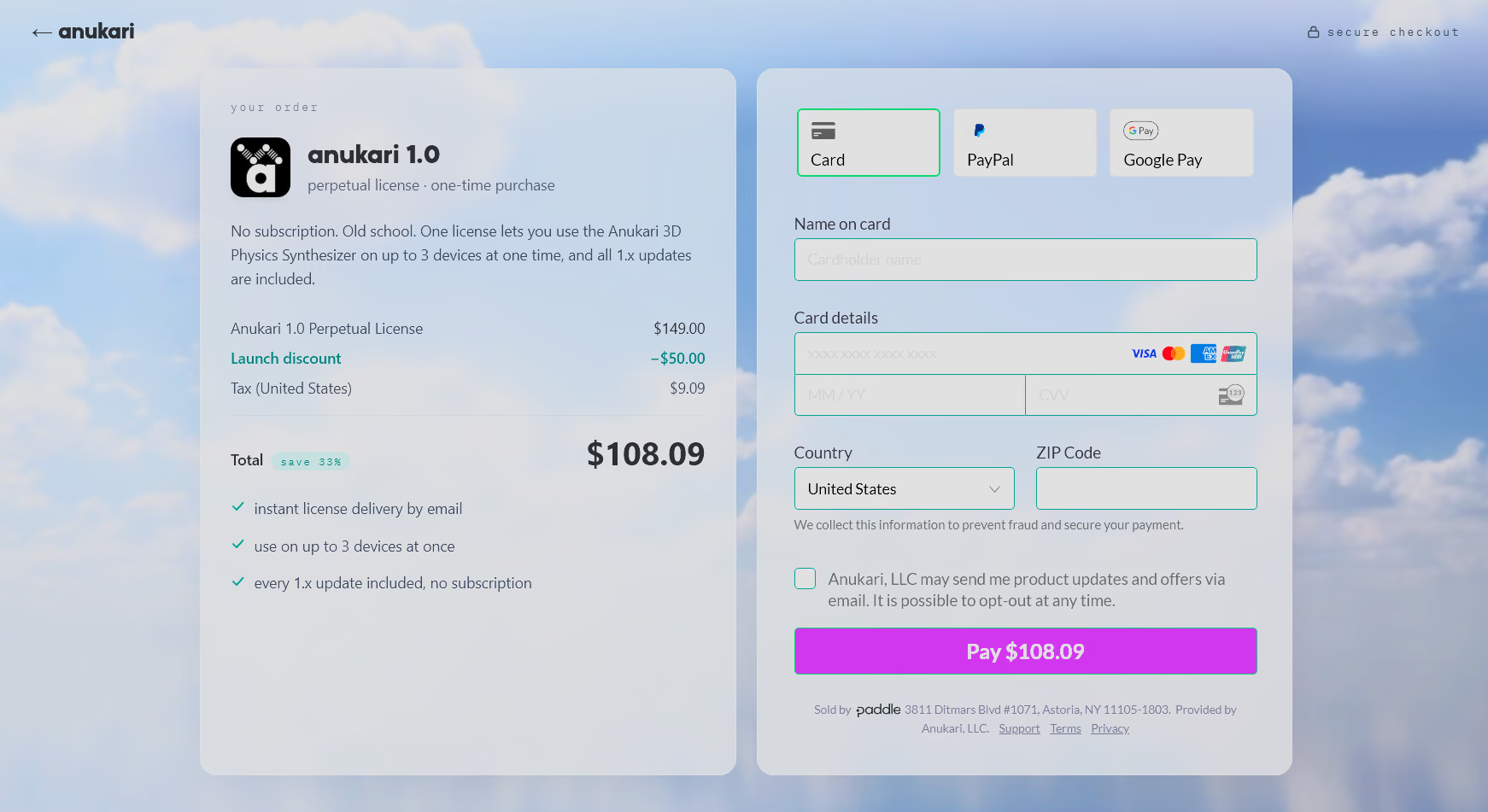
One benefit of Paddle is that I own the checkout page and can style it how I want. So the checkout page now has a sky with clouds. MORE CLOUDY SKIES! I think it may be the most relaxing checkout page on the internet.
My biggest project in the last few weeks has been getting Linux support out the door. I’ve promised that it would come shortly after the 1.0 launch, and I like to keep my word.
A year ago, Linux support would have been a much smaller project. But in the meantime, I have added a lot of platform-specific code. For example, Anukari’s built-in video recording feature is almost entirely separate code for each OS. The best video and audio encoders are OS-specific APIs, and so is window video capture.
There are other platform-specific things, like the native window management for the custom 3D rendering engine, various process inspection stuff, realtime thread handling, the installer, and so on.
But beyond writing Linux-specific backends for video recording and the 3D renderer, etc, there were some other challenges. Anukari uses JUCE, and while JUCE supports Linux, it is obviously the least-tested JUCE platform. I ran into a ton of JUCE bugs that I had to patch myself.
Why am I catching so many Linux bugs? I think I’m probably testing Anukari more thoroughly on Linux than most other plugin companies. Beyond having extensive fuzz tests in my unit testing suite, Anukari’s chaos monkey was working overtime the last few weeks.
To recap the chaos monkey, it’s a Python script that sends real mouse and keyboard events to the Anukari window. It is very random, kind of like banging on the keyboard chaotically. Beyond mouse and keyboard events, it also does things like periodically resize the window, minimize, etc.
One of the first things I did was port the chaos monkey to Linux. I was pleased to find that it can generate events much faster than on Windows, meaning it can abuse Anukari that much more heavily. A lot of the JUCE bugs I’ve found are from things like the chaos monkey getting into the audio device preferences window and changing every setting over and over. It’s found several race conditions in JUCE this way.
I’ve got a really cool Claude skill set up now, where Claude will launch Anukari and the chaos monkey, and then monitor both. It checks occasionally to make sure neither has hung, aborted, or used too much RAM. If it sees anything weird, it will immediately attach a debugger and attempt to root cause and fix the issue, and then go back to running them. It’s set up with access to Sentry, which I use for crash reports, knows how to read the logs, etc. So I can literally type /chaos-monkey and go to bed, and there might be bug fixes waiting for me in the morning. What a weird world we live in.
And then there’s high-DPI handling in Linux. I wrote about high-DPI for Windows, and suffice to say, it was a pain in the butt there, and it was also a pain in the butt on Linux. It doesn’t help that JUCE is X-only and lacks support for a true Wayland window. I don’t want to relive this trauma too much; it’s working well now and that’s what matters.
At this point Anukari works flawlessly on my Linux test machines, both in standalone mode as well as a VST3 and LV2 plugin in five or six DAWs. I have a really convenient setup where I have Linux installed on an external NVMe drive, so I can test Anukari on all of my testing laptops super easily by just plugging in the drive and booting Linux.
And feedback from my early Linux test users corroborates this. Things are looking good. I am a bit nervous about what happens when folks run Anukari under Linux distributions I’ve never even heard of, but I figure if someone is running Anukari on the Hannah Montana Linux distribution, they have asked for whatever trouble they run into. I wrote up a Linux-specific support policy, which says basically, “I’ll fix obvious bugs in Anukari. But if it’s weird distro-specific stuff, you’re on your own.” Of course I’ll still try to help wherever I can, but I’m trying to set realistic expectations.
Better payments infrastructure and Linux support are great, but if I’m being honest, neither of them was that fun to build. But you know what is fun? Physics features!
At any given time, I have a ton of physics stuff that I’m experimenting with. Before I will release a new physics feature, though, it needs to be pretty robust. It needs to have interesting applications. I need to build some presets that prove that it is useful for new sounds. It can’t be more of a simulation stability problem than the existing features. And so on.
The two features that passed the bar for this release are both Body parameters: gravity and turbulence.
I’ve wanted gravity for a long time. It’s an obvious idea, and opens the door for things like pendulums. If you look at the factory “Mallet-Metallic/Fuzzy Wobble” preset, it has a little tiny spring at the bottom that is kind of pretending to be gravity, so that the spinning contraption comes back to rest in the right position. Real gravity would be better!
Having gravity at the preset level never seemed all that appealing to me, though. For one, Anukari’s rich modulation system only applies to 3D objects, which makes global gravity far less useful. Also I was just never convinced that a single gravity slider would be interesting enough to be worth adding.
Recently it struck me though: why not just make gravity a Body parameter? The whole point of Anukari is that you can build impossible contraptions. So why not impossible gravity? Not only did this idea solve the modulation problem, but also it opens up all kinds of crazy possibilities with different parts of the preset being pulled by different amounts of gravity.
I built this out and it was a ton of fun, so here we are. Fun fact: Anukari’s gravity strength goes up to 10,000 times the strength of Earth’s gravity. When I first prototyped it, I set the max to Earth gravity, and found that most systems hardly bent at all at max gravity. I was puzzled at first, but if you think about real objects that vibrate at audio frequencies, they are mostly pretty taut. A guitar string, for example, is taut enough that while it does technically sag under the effect of gravity, it’s completely unnoticeable.
If you want to see a guitar string visibly sag, what do you do? Of course you take it to a white dwarf star. Okay, I’m pretty sure the guitar string would break. But Anukari lets you run systems with the gravitational equivalent of a white dwarf star, and maybe not break.
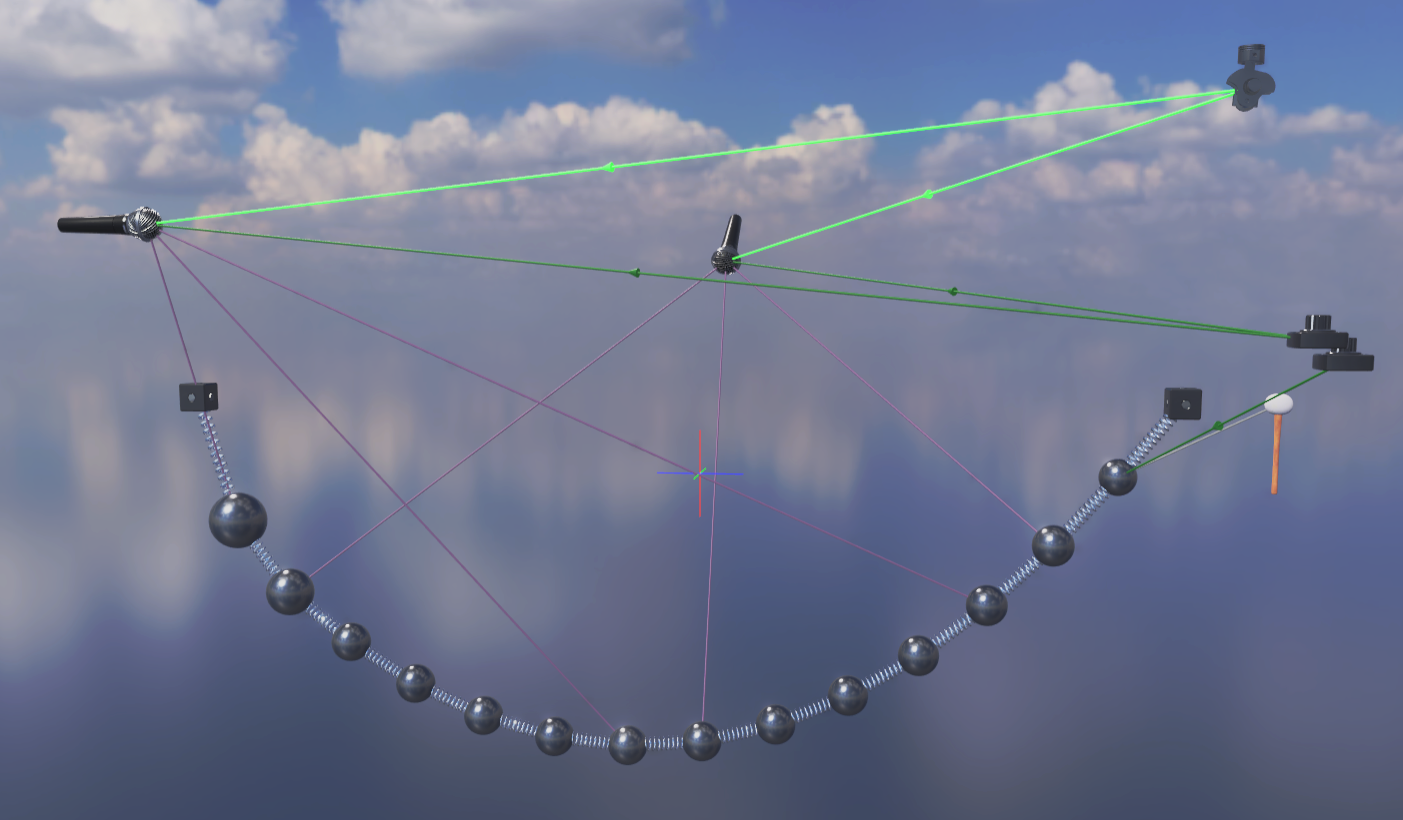
The other new Body parameter is turbulence. This parameter randomly perturbs the direction of a Body’s velocity in space, similarly to the movement of a particle traveling through a medium, such as a speck of dust in the air, except that Anukari’s turbulence is energy-preserving: it doesn’t speed up or slow down a Body, it just randomly changes its direction. At low values of turbulence, the direction changes only a little, and at high values the direction changes a lot.
Depending on the preset, adding turbulence can add a subtle richness, or it can add puffs of white noise. My favorite thing is that it can add a bit of “space.” If you take the factory “Mallet-Metallic/Small-Xylophone” preset, select the Body, and add some turbulence, it really opens up the sound and makes it more spacious. I think this will be super useful for FX processing, among other things.
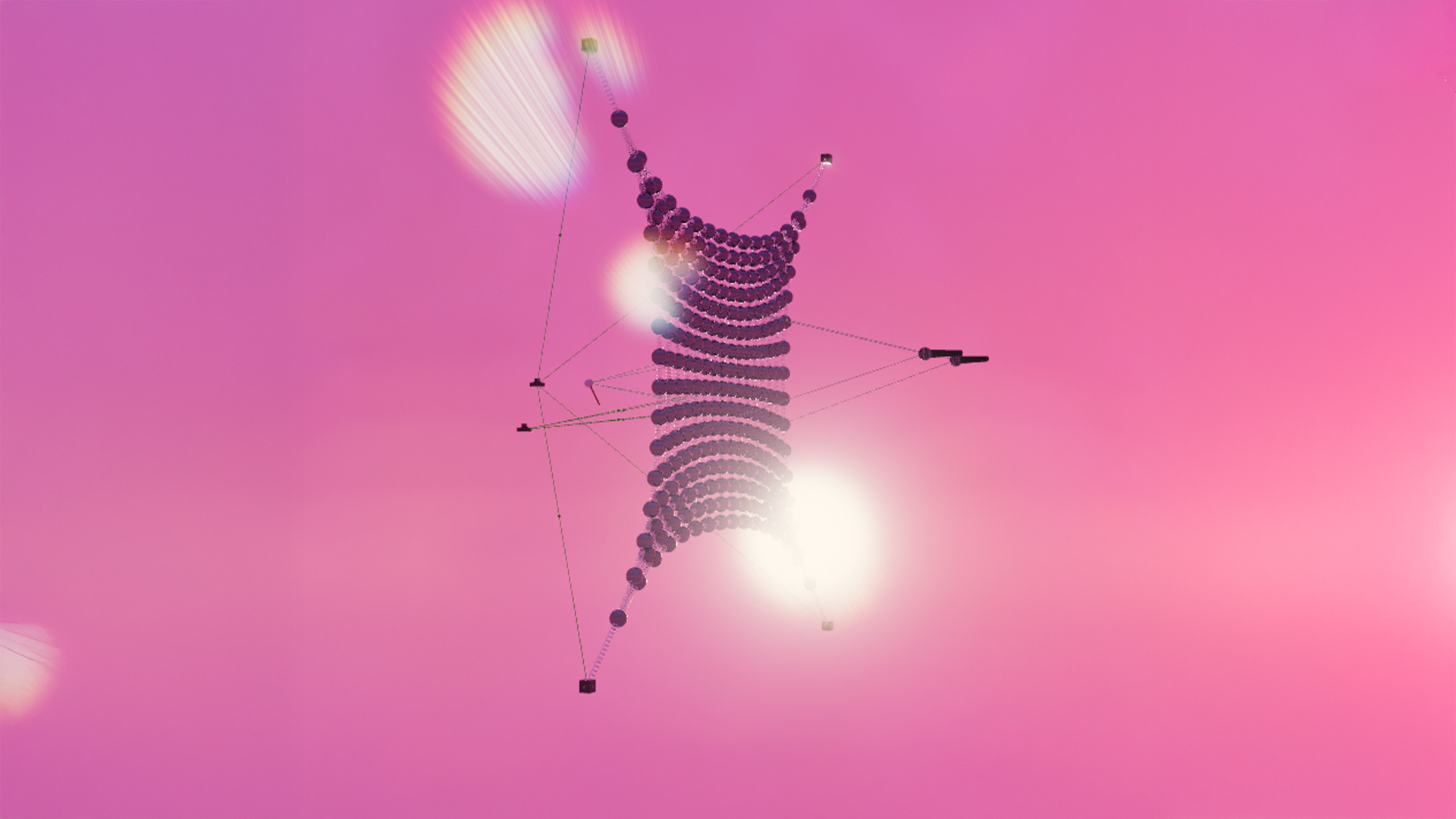
One interesting use case is that a while back, a user reported that the factory “Mallet-Metallic/Large Membrane” preset would occasionally sound very mono until he banged on it a bit, and then it would suddenly spread into a nice stereo image. I was able to reproduce this and found it extremely puzzling.
Eventually I found the root cause of the mono-membrane: to reduce Anukari’s noise floor, I moved a few of the physics calculations to use 64-bit floats, which are much more precise than the 32-bit floats that are used elsewhere. It turns out that the Large Membrane preset’s default state is *exactly* symmetrical about the plane that separates the two microphones. Because it is perfectly symmetrical, despite having two mics it comes out mono! Once enough energy is introduced, floating point inaccuracies accrue until symmetry is lost and it is no longer mono. In the 32-bit float world, that happened instantly. But with 64-bit floats, the perfect symmetry could last a while.
One way to fix this is to simply make the preset not be symmetrical, which works fine. But now there’s another possibility: add some turbulence to a few of the masses. Actually adding turbulence to even just one mass in the center of the membrane is enough. I haven’t done this yet but I think many of the factory presets can be improved with some subtle addition of turbulence here and there.
One non-physics feature that I did enjoy working on was the new connection hints system.
It is fundamental to the way that Anukari works that for two objects to interact, they need to be connected. A mallet only hits bodies it is connected to, a mic only picks up vibration of objects it is connected to, and so on. The new FX system adds more of this: to route audio through an FX object, it needs to be connected to an audio source via a delay line.
The Anukari intro video attempts to make this really clear. But I still get support tickets that are some form of, “I dragged in a chorus object but I don’t hear chorus,” and upon diagnosis we find that the user did not connect the chorus object to anything.
In fact, there are factory Anukari presets where if you look carefully, there are e.g. LFOs that don’t do anything, because their modulator link connection has its depth set to zero. So it’s not just inexperienced users, even experts can miss things.
The connection hint system is my attempt to improve this situation. It analyzes the entire preset you’re working on, and provides hints when there are obviously non-functioning parts of the preset.
For example, it will provide a hint if a modulator link’s depth is zero. It will also provide a hint if you create a modulator that isn’t connected to anything. In general, it checks each object to see if it has the minimum set of connections to function. For some objects this can be more than one connection: the envelope follower requires a delay line input for the audio signal to follow, and a modulator link output for the parameter to control.
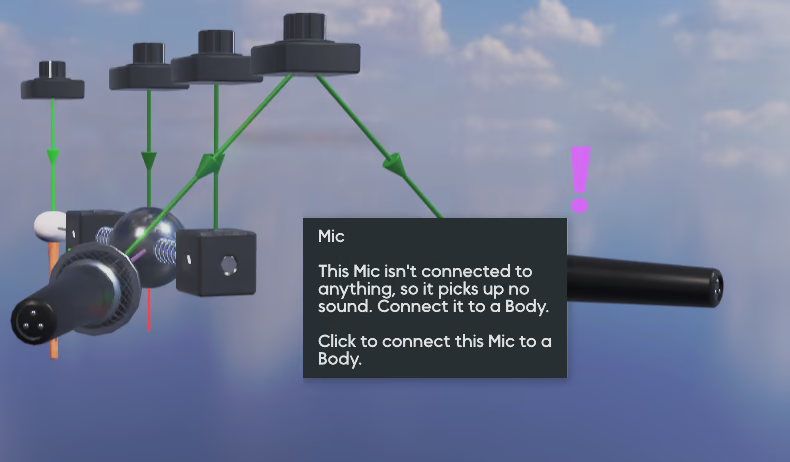
The system also analyzes some global properties of the preset. If there is no mic at all, it will provide a hint that explains why the preset is silent.
When an object is missing a required connection, a little purple exclamation mark is displayed in the 3D world over it. Hovering the mouse over the exclamation mark will show a textual explanation of what’s missing, and clicking it will automatically start the creation of that kind of link, highlighting the objects it can be connected to.
I tried really hard to make this system as unobtrusive as possible, so that it’s not annoying to power users. It can also be disabled entirely under Options for people who dislike it.
As a power user myself, I thought I’d probably disable it. But actually it’s quite helpful, especially for the more subtle cases. I found factory presets created by three different sound designers (including myself) which had active hints!
I’m hoping this system will make Anukari easier to learn, in a self-paced learning kind of way, instead of a “force you through a product tour” kind of way.
I’ve written more than I probably should have, so I won’t go into more detail about this release, but check out the release notes if you’re curious! Lots of bug fixes, performance improvements, a favorite preset system, and more!




.jpg)